


You can build a professional WordPress website for your home services business in about 4-6 hours, even if you’ve never created a website before. The process involves choosing the right hosting, installing WordPress, selecting a service-focused theme, and adding essential features like contact forms, service pages, and online booking. Business owners like the team at dryerventcleanexperts.com have successfully built their own WordPress sites without any coding knowledge, and you can too.
Here’s why this matters for your business. When potential customers search for a plumber, electrician, cleaner, or landscaper in their area, they expect to find a professional website that clearly shows your services, pricing, and an easy way to contact you. Without a website, you’re invisible to most people searching online. Hiring a web developer often costs $2,000-$5,000 for a basic site, plus ongoing maintenance fees. With WordPress, you’ll spend around $100-$200 for the first year and have complete control over your content.
The beauty of WordPress is that it’s designed for non-technical people. You won’t need to write code or understand complicated web development concepts. Instead, you’ll point, click, and fill in your business information just like you would in a Word document. The platform powers 43% of all websites worldwide because it works.
This guide walks you through every single step, from purchasing your domain name to adding your first customer testimonial. You’ll learn exactly which plugins help service businesses get more leads, how to set up appointment scheduling, and which mistakes to avoid.
Why WordPress Works Perfectly for Home Services Businesses

When you run a home services business, you don’t have time to mess around with complicated website builders or wait weeks for a developer to make simple updates. That’s where WordPress shines.
The platform costs a fraction of what you’d pay for custom development. You can get a professional-looking site up and running for the price of hosting and a domain name, usually under $100 for the first year. Compare that to the thousands developers charge, and the choice becomes pretty clear for small business owners watching their budgets.
Here’s what makes WordPress especially valuable for plumbers, electricians, cleaners, and other service providers:
- Update your prices and services yourself in minutes, not days waiting for someone else
- Your site automatically adjusts to look great on phones, which is how most customers find local services
- Built-in features help Google understand your service areas and connect you with nearby customers
- Simple plugins let you add contact forms, booking systems, and click-to-call buttons without coding
- Showcase before-and-after photos, customer reviews, and service details exactly how you want
The mobile advantage deserves special attention. When someone’s toilet is overflowing or their air conditioning quits on a hot day, they’re searching for help on their phone right now. WordPress themes are responsive by default, meaning your site works perfectly whether someone views it on a laptop, tablet, or smartphone. Your phone number, service areas, and contact form all display clearly on that small screen.
You also maintain complete control. Need to add a new service you just started offering? Update it yourself in five minutes. Want to change your holiday hours? Do it from your phone while you’re on a job. This independence matters when you’re trying to run a business and respond to customers quickly.
WordPress grows with your business too. Start with a simple site today, then add online booking, payment processing, or a customer portal later when you’re ready. You’re never locked into limitations.
What You’ll Need Before You Start
Before you dive into building your website, gathering everything you need upfront will make the process much smoother and faster. Think of this as packing your toolbox before starting a job, having the right materials ready means you won’t need to stop halfway through.
First, you’ll need a domain name for your business. This is your website address, like “” or “.” Brainstorm a few options that include your business name or services, and check if they’re available. Keep it simple and easy to spell so customers can find you easily.
Next, you’ll need a hosting account. Hosting is where your website files live, similar to renting space for a physical storefront. Many hosting providers offer beginner-friendly packages specifically designed for small businesses, and most include everything you need to follow a WordPress setup guide without technical headaches.
Gather your business information before you start building. Have your business name, phone number, email address, service area (which neighborhoods or cities you cover), hours of operation, and a brief description of what you do written down in one place. This saves you from hunting for details later.
Collect photos that showcase your work. Before and after images, pictures of your team, or shots of you on the job help customers trust you. Even smartphone photos work fine if they’re clear and well-lit.
Finally, write out a simple list of your services. You don’t need fancy descriptions yet, just a basic outline of what you offer and roughly what each service costs, if you’re comfortable sharing pricing. Having this prep work done means you can focus entirely on building your site without constantly stopping to look things up.
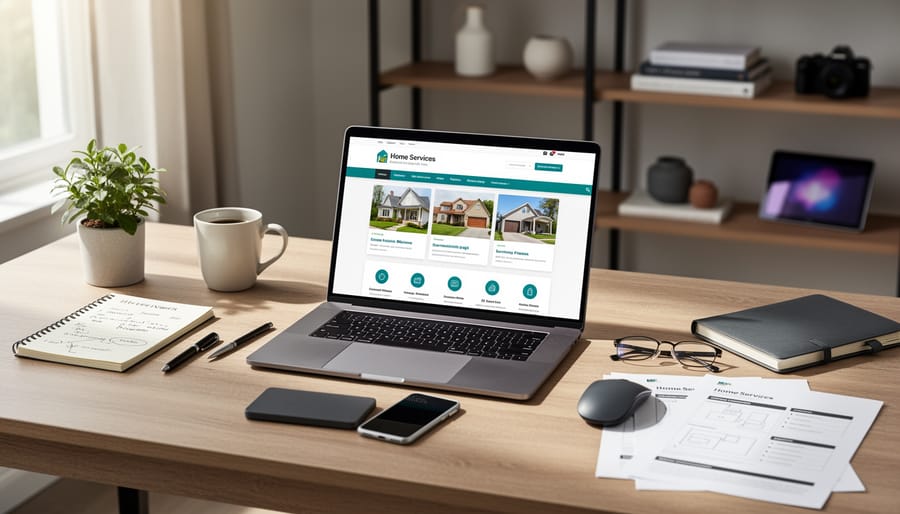
Step-by-Step: Setting Up Your WordPress Home Services Site
Step 1: Install WordPress on Your Hosting Account
Installing WordPress is simpler than you might think. Most hosting providers offer a one-click installation tool that does all the technical work for you. Here’s what the process typically looks like:
Log into your hosting control panel (called cPanel or a custom dashboard). Look for an icon or button labeled “WordPress” or “WordPress Installer.” Click it, then choose your domain name from the dropdown menu. You’ll create a username and password for your WordPress admin area, write these down somewhere safe. Hit install, and within seconds, WordPress will be ready.
If you’re using SiteGround hosting or similar providers like Bluehost or HostGator, they often install WordPress automatically during signup, saving you even this step. You’ll receive an email with your WordPress login details.
That’s it. No coding required. Within minutes, you’ll have access to your WordPress dashboard where you’ll build your home services website. The installation handles all the technical setup, databases, files, configurations, without you needing to understand any of it. If you get stuck, every major host provides live chat support to walk you through it.
Step 2: Choose a Theme Made for Service Businesses
Your theme is like the foundation and design blueprint of your house, it controls how your website looks and what features it includes. The good news? WordPress offers thousands of themes, and many are specifically built with service businesses in mind.
To find a theme, go to Appearance → Themes in your WordPress dashboard and click “Add New.” In the search bar, type phrases like “business,” “services,” or “handyman.” You’ll see previews of different themes, click through a few to get a feel for what’s available.
When evaluating themes, look for these service-business essentials: prominent contact buttons that are hard to miss, dedicated sections for displaying your services clearly, space for customer testimonials (social proof matters), and mobile responsiveness (most of your customers will visit from their phones). Many themes also include before/after image galleries, which work perfectly for showing your completed projects.
Free themes work perfectly fine for most home services businesses. Popular options like Astra, OceanWP, and Neve all have service-business layouts. If you want more advanced features, premium themes typically cost between thirty and sixty dollars one-time.
Once you’ve chosen a theme, click “Install” and then “Activate.” Your site will instantly transform. Don’t worry if it doesn’t look perfect yet, you’ll customize it with your own content in the next steps.
Step 3: Create Your Essential Pages
Once WordPress is running and your theme is in place, it’s time to build the pages that turn your site into a real business presence. Every home services website needs four core pages, and creating them is straightforward.
Start with your Home page. This is where visitors land first, so include a clear headline about what you do and where you serve. Add a few sentences explaining your main services, then include a prominent contact button. Your theme likely has a homepage template ready to customize.
Next, create your Services page. List each service you offer with a short description. If you’re a plumber, that might mean “Emergency Repairs,” “Water Heater Installation,” and “Drain Cleaning.” Keep descriptions simple and focused on what the customer gets, not technical details.
Your About page builds trust. Share how long you’ve been in business, any licenses or certifications you hold, and why you started your company. A photo of you or your team makes this page feel personal and real.
Finally, set up your Contact page. Include your phone number prominently at the top, a simple contact form, and your service area. Many customers want to know you’ll actually come to their neighborhood before they call.
In WordPress, click “Pages” then “Add New” to create each one. Write your content directly in the editor, just like typing an email. You can always refine the wording later, getting these four pages live is what matters now.

Step 4: Add Your Services and Pricing
Your services are the heart of your website, so make them easy to find and understand. Start by creating a dedicated Services page from your WordPress dashboard. Click Pages, then Add New, and title it “Our Services” or “What We Do.”
List each service clearly with a short description. Instead of just “Plumbing Services,” write “Emergency Plumbing Repair, Leaks, Burst Pipes & Drain Cleaning.” This tells visitors exactly what you fix.
For pricing, you have options. If you charge flat rates for common jobs, list them openly. It builds trust and saves everyone time. If pricing varies, write something like “Starting at $89” or “Free estimates available.” Never leave pricing completely vague or you’ll lose potential customers who need a ballpark figure.
Break up your services with clear headings and bullet points. A wall of text overwhelms visitors, especially on mobile. Each service should answer: What is it? What problems does it solve? How much does it cost?
Add a call-to-action button after each service description, like “Request This Service” or “Get Your Free Quote.” Make the next step obvious so interested visitors know exactly how to hire you.
Step 5: Set Up Contact Forms and Booking

Getting inquiries from potential customers is the whole point of your website, so you need a simple way for visitors to reach you. WordPress makes this easy with contact form plugins that require zero coding knowledge.
Installing a Contact Form
The most beginner-friendly option is WPForms, which offers a free version perfect for most home services businesses. Here’s how to set it up:
- Go to Plugins → Add New in your WordPress dashboard and search for “WPForms”
- Click “Install Now” then “Activate”
- Follow the setup wizard, which walks you through creating your first form
- Choose the “Simple Contact Form” template and customize the fields (name, phone, email, message)
- Add your email address so inquiries come directly to you
- Place the form on your Contact page using the WPForms block
For detailed guidance, check out our WPForms for dummies tutorial that covers everything step-by-step.
Adding Your Phone Number
Don’t rely only on forms. Add a prominent click-to-call phone number in your header so mobile users can reach you instantly. Most service business themes include spots specifically for this.
Optional Booking Features
If you want customers to schedule appointments directly, plugins like Bookly or Amelia offer simple booking calendars. These are helpful but not essential when you’re starting out, a basic contact form works perfectly for getting your first inquiries flowing.
Step 6: Optimize for Mobile Users
Most of your potential customers will find you while they’re dealing with an emergency, a burst pipe, a broken AC, or a flooded basement. They’re searching on their phones, not sitting at a desktop computer.
The good news? Most modern WordPress themes are already mobile-responsive, meaning they automatically adjust to fit phone screens. But you should still test yours to be sure.
Here’s how: Open your website on your phone and check if text is readable without zooming, buttons are easy to tap, and images don’t overflow the screen. Try your contact form on mobile, it should work smoothly. Most WordPress themes include a mobile preview button in the customizer, so you can check before going live.
Pay special attention to your phone number. Make sure it’s clickable on mobile so visitors can call you with one tap. This single feature can dramatically increase the leads you get from phone users.
Must-Have Features for Your Home Services Website
Your home services website needs features that do one thing well: make it dead simple for potential customers to contact you and trust you enough to do it. These aren’t nice-to-haves, they’re the difference between a site that generates calls and one that just sits there looking pretty.
Here are the critical features your site must include:
- Click-to-call buttons prominently displayed on every page, most customers browse on their phones and want to call immediately when they find what they need
- Clear service area information so visitors know instantly whether you work in their neighborhood, preventing wasted inquiries and building local relevance
- Before-and-after photo galleries that show the quality of your actual work, which builds credibility far better than any description could
- Customer testimonials with real names and locations that provide social proof and help hesitant visitors feel confident choosing you
- Trust signals like licenses, insurance information, years in business, and any certifications that separate legitimate professionals from fly-by-night operators
Put your phone number in the header of every page, not buried in the footer. When someone’s water heater is leaking at 9 PM, they’re not going to hunt for your contact info. Make it visible, make it clickable, make it impossible to miss.
Your service area deserves its own clear statement, not a vague “serving the greater metro area” mention. List the specific towns, neighborhoods or zip codes you cover. This helps with local search rankings and immediately qualifies or disqualifies visitors, saving everyone time.
The before-and-after gallery is your secret weapon. Show real jobs you’ve completed, not stock photos. A messy “before” photo of an actual project you fixed carries more weight than a dozen perfect stock images. Three quality galleries showcasing different service types will outperform twenty generic ones.
Customer reviews should appear on your homepage and service pages. Five detailed testimonials beat fifty one-liners. Include the customer’s first name, neighborhood, and what you did for them.
Making Your Site Show Up in Local Searches
Getting customers to find your website when they search for services in your area doesn’t have to be complicated. Local SEO is simply about making sure Google knows where you work and what you do.
Start by mentioning your service areas naturally throughout your site. On your homepage, say something like “serving the Greater Dallas area” or “proudly providing plumbing services in Austin and surrounding communities.” Add your city and nearby towns to your About page and individual service pages where it makes sense. Don’t force it, just write the way you’d talk to a neighbor.
Create a dedicated service area page that lists all the cities and neighborhoods you cover. For each location, write a sentence or two about your experience there. This helps both search engines and potential customers understand exactly where you work.
Connect your website to your Google Business Profile (formerly Google My Business). This free listing makes you appear in map results when people search for services near them. Most WordPress themes have a spot in the footer or contact page where you can embed your Google Maps listing, which strengthens this connection.
Use location-based keywords naturally when describing your services. Instead of just “emergency plumbing,” write “emergency plumbing in Phoenix” or “Phoenix emergency plumber.” Think about how your customers actually search.
Plugins like All in One SEO make local optimization easier by helping you add your business information consistently across your site. They guide you through setting up location details, business hours, and contact information in a way search engines understand.
For more detailed guidance on improving your site’s visibility, check out these SEO optimization tips that cover additional strategies for ranking higher in search results.
Real Success Stories: Home Services Owners Using WordPress
Mike’s Plumbing went from relying entirely on phone book ads to getting 40% of his new customers through his WordPress site. “I was worried I’d need to hire someone and spend thousands,” Mike admits. “But I got my site running in a weekend using a service business theme. Now customers can see my work, read reviews, and request quotes online. Game-changer for my business.”
Sarah runs a residential cleaning service in Phoenix and built her WordPress site with zero technical experience. “I almost gave up before starting because I thought websites were too complicated,” she shares. “Within three days, I had my services listed, a contact form working, and photos of my team. The best part? I can update my own pricing and add new services whenever I want without calling a web guy.”
Tom’s Handyman Services in Chicago saw immediate results after launching his WordPress site. “I started getting quote requests through my contact form the first week,” Tom reports. “People tell me they chose me because my website looked professional and made it easy to see what I do. I spent maybe six hours total setting it up, and it’s paid for itself ten times over in the first year alone.”
Each of these business owners started where you are now, wondering if they could really build a website themselves. They proved it’s absolutely possible.
You’ve seen the complete roadmap for building your WordPress home services website, and here’s the truth: thousands of business owners just like you have done this successfully without any technical background. The hardest part is simply starting.
Remember, you don’t need to be a web designer or know how to code. WordPress handles the complex stuff behind the scenes while you focus on what you do best, running your business and serving your customers.
Ready to get your website up and running? We offer a free WordPress blog setup service that takes care of the initial installation for you. You’ll get a fully functional WordPress site ready for you to customize following the steps in this guide. It’s the perfect way to skip the technical setup and jump straight to building your online presence.
Your competitors already have websites. Your future customers are searching online right now. Take that first step today, your business deserves to be found.


